
How to Access
How to Access Your Customer Portal
By PG Pool & Spa
The PG Pool & Spa customer portal allows you to access your account, view service history, review completed service details, and see technician notes and service photos when available. This guide walks you through how to create your login and access your portal.
Access the Customer Portal
Start by opening the customer portal link below. You can use this page to create your login or sign in once your account has been activated.
How to Create and Access Your Portal Login
Follow these steps to request access, activate your account, and view your customer portal:
Navigate to the Customer Portal
Open your web browser and go to:
https://www.pgpoolandspa.com/account
Request Access
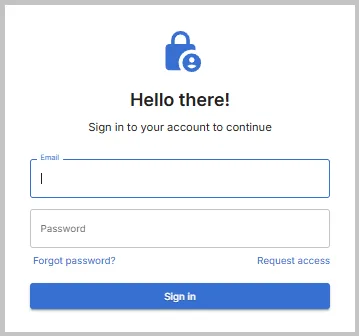
From the login page, click “Create Login” at the bottom right to begin creating your customer portal account.
Enter Your Email Address
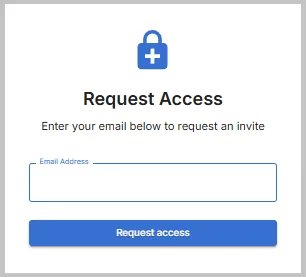
Enter the email address associated with your PG Pool & Spa customer profile to request access.
Confirm Access Was Initiated
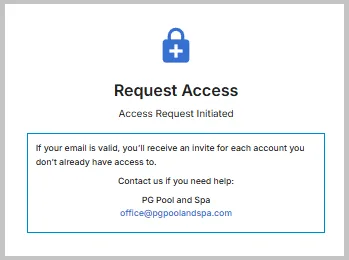
After requesting access, you should see an “Access Initiated” confirmation page.
Check Your Email
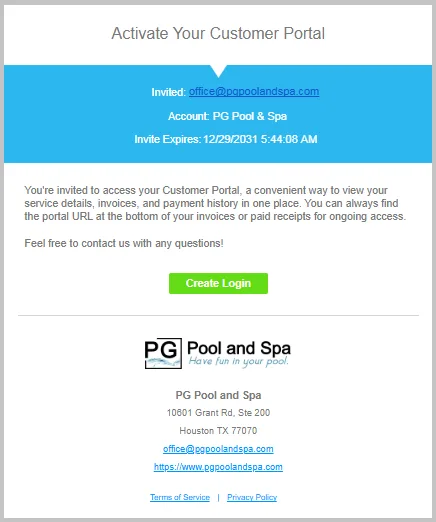
You will receive an activation email. Click the link in the email to confirm your account.
Set Your Password
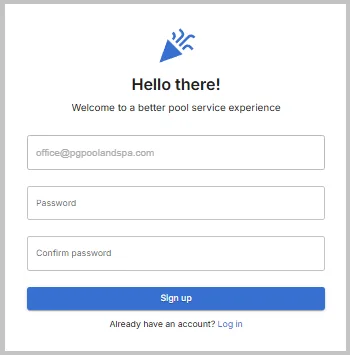
You will be redirected back to the customer portal to set your new password.
Log Into Your Account
Once your account is set up, you can log into your portal using your email address and new password.
View Service History
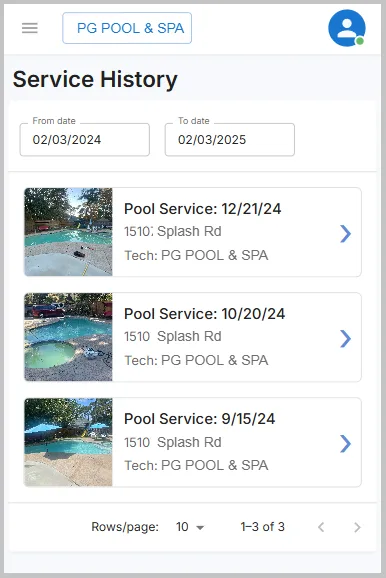
Select “Service History” to view records of completed work within a date range. You can click on a specific entry for more detailed information, including technician notes and service photos.
Contact Us Through the Portal Menu
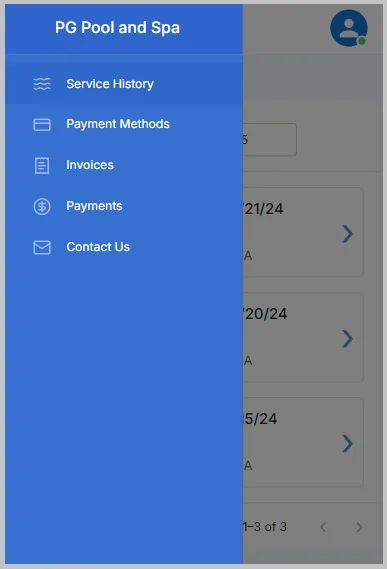
Selecting “Contact Us” will allow you to view PG Pool & Spa’s contact information from inside the customer portal.
Why Use the Customer Portal?
The customer portal gives you a convenient place to review account information and service history. It is especially helpful when you want to look back at completed service visits, technician notes, and available service photos.
Need Help Accessing Your Account?
If you have trouble logging in, do not receive the activation email, or need help confirming which email is connected to your customer profile, please contact PG Pool & Spa and we can help.
